Heuristics Evaluation & Cognitive Walkthrough
My Role: Sole Contributing UX Researcher

The Basics_
As a User Experience Researcher, I independently completed a two-week project at the Maryland Institute College of Art, focusing on delivering insights and solutions to enhance user interactions and design effectiveness.
Heuristic Evaluation
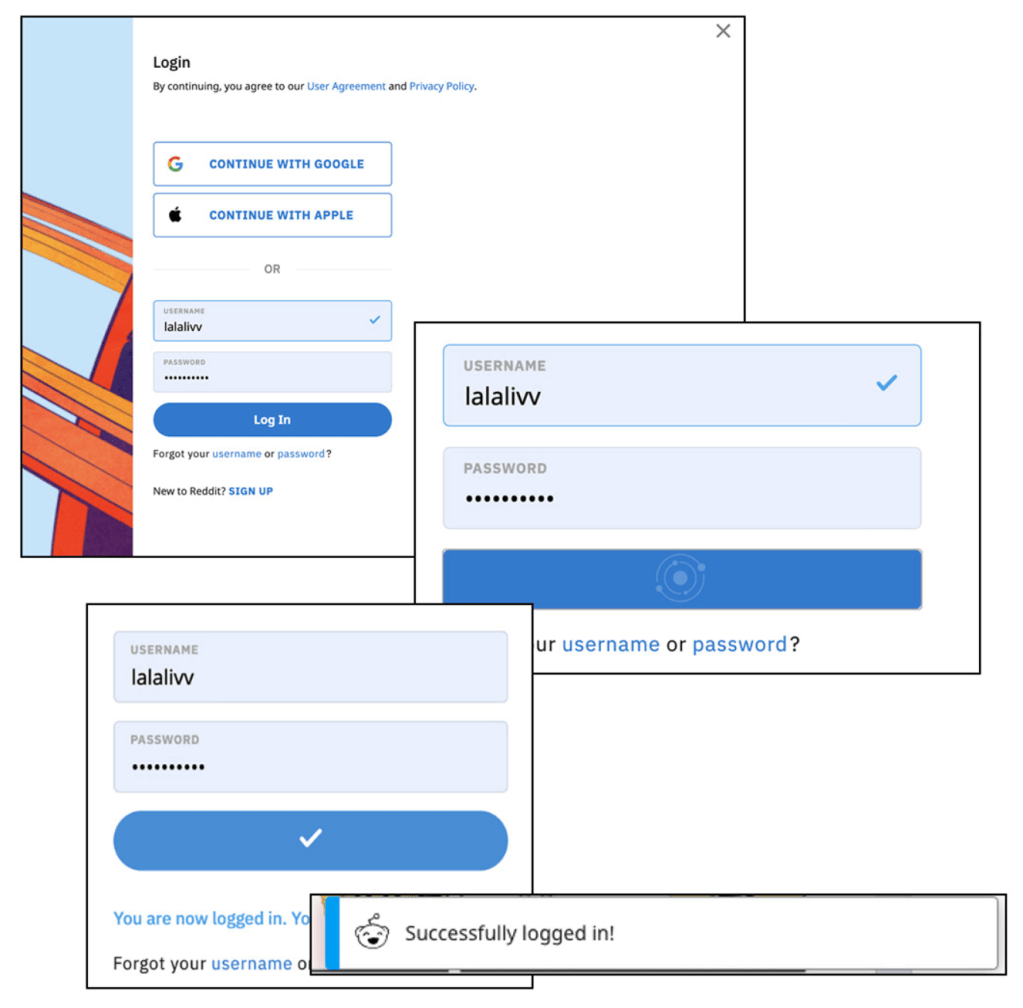
Visibility of System Status
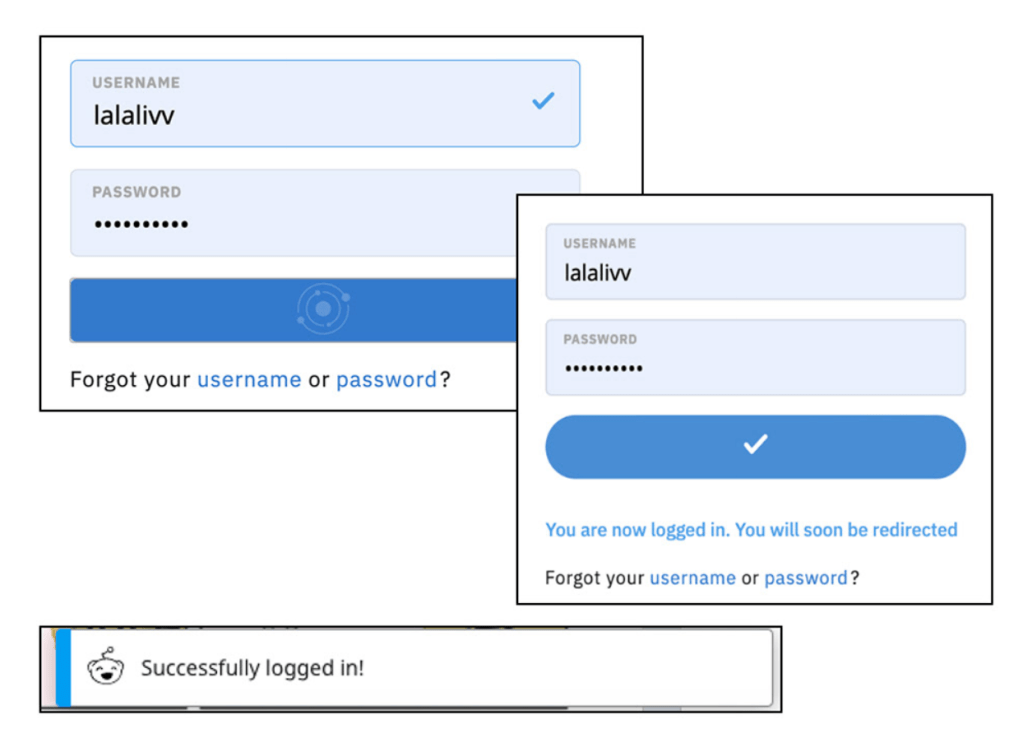
Throughout the login process, Reddit’s design presents that user with constant to inform the user of the system status.
After clicking the login button, loading rings are shown, followed by an arrow to inform the user that the system has successfully identified their login criteria.
The user is then forwarded to their newsfeed, where a banner at the bottom of the screen informs them of a successful login.
Match System to Real World
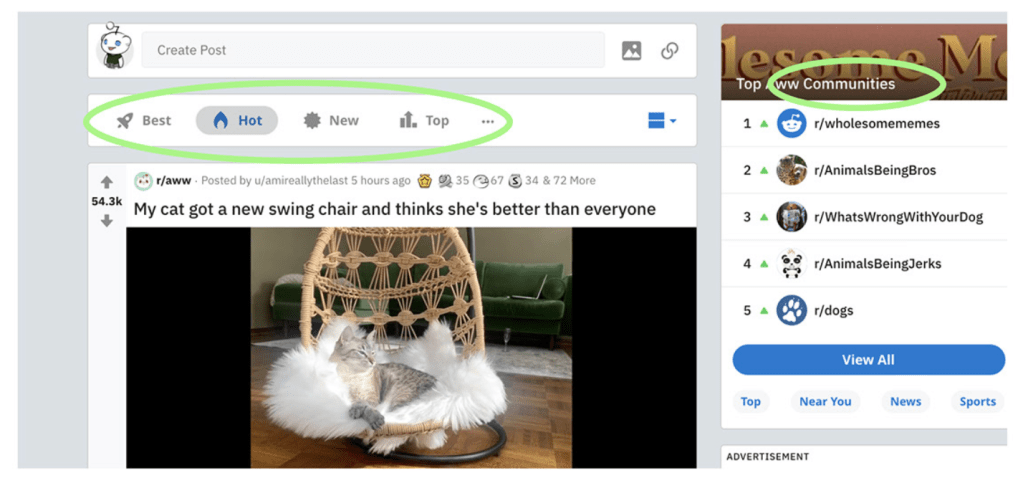
Reddit uses the word Community to identify grou[s of users that are interested in the same thing, similar to the use of the term in the real world.
Reddit’s organization system is alternative to other social media sites. Reddit allows the user to choose content and how it is presented to the user. Whether that be in the order of “Best”, “Hot”, “New”, or “Top” the user is granted the keys to the sort of content presented to them through the communities that they have joined through their account.
User Control & Freedom
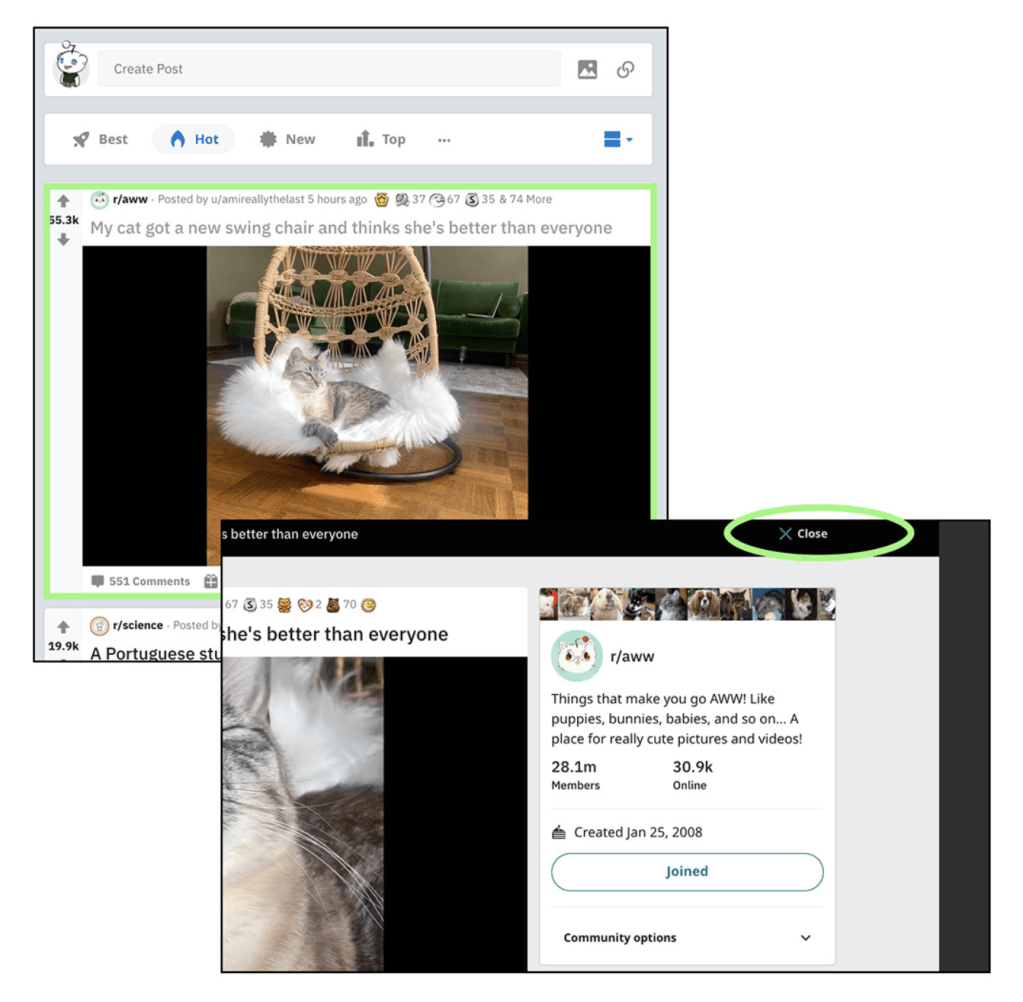
When hovering over content, the user can find out more information by clicking, however the user is granted simple ways to exit the content without issues, or resulting to browser functions.
The “X Close” button at the top right corner of the post is a visible escape from the content page, however the user can additionally click in either grayed out sidebar to “click out” of the content.
Consistency & Standards
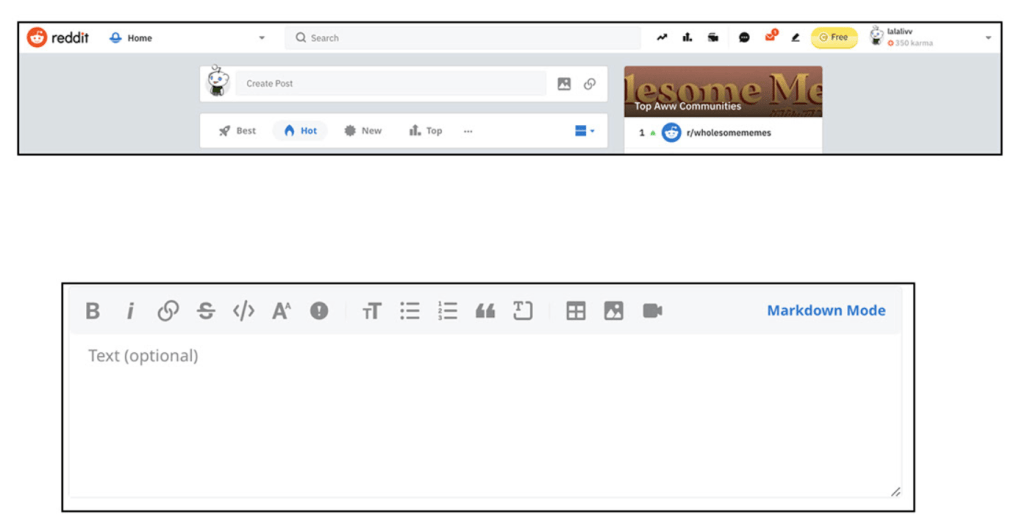
Reddit utilizes familiar text box formatting within their design system, allowing the user to add links, adjust text, or create bulleted list through icons that they are familiar with.
The logo in the top left corner of the browser maintains its location permanently while navigating the site.
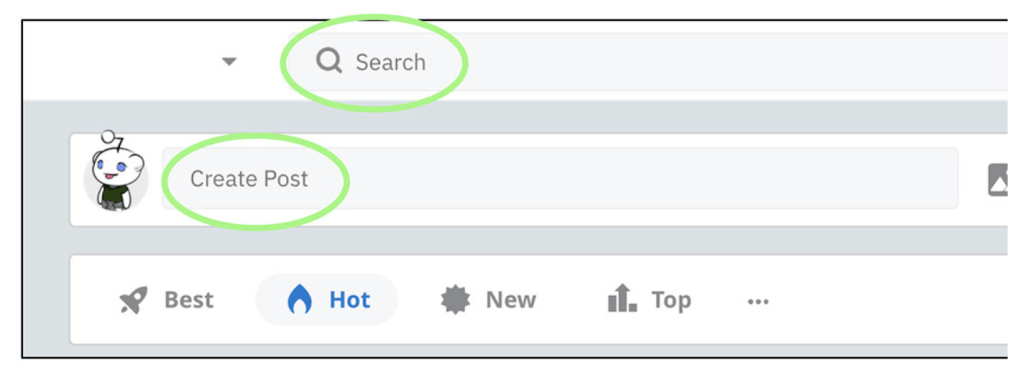
The “search” bar and “create post” functions are staying true to the standard model of social media.
The “X Close” button at the top right corner of the post is a visible escape from the content page, however the user can additionally click in either grayed out sidebar to “click out” of the content.
Error Prevention
The “search” and “create post” text boxes are the same size and in close proximity to each other at the top of the homepage.
The gray text inside each text box informs the user of the function. This prevents the user from confusing the two boxes, and more generality, a problem for the user.
Recognition Rather Than Recall
The page header is not locked to the screen, to allow for more visible content.
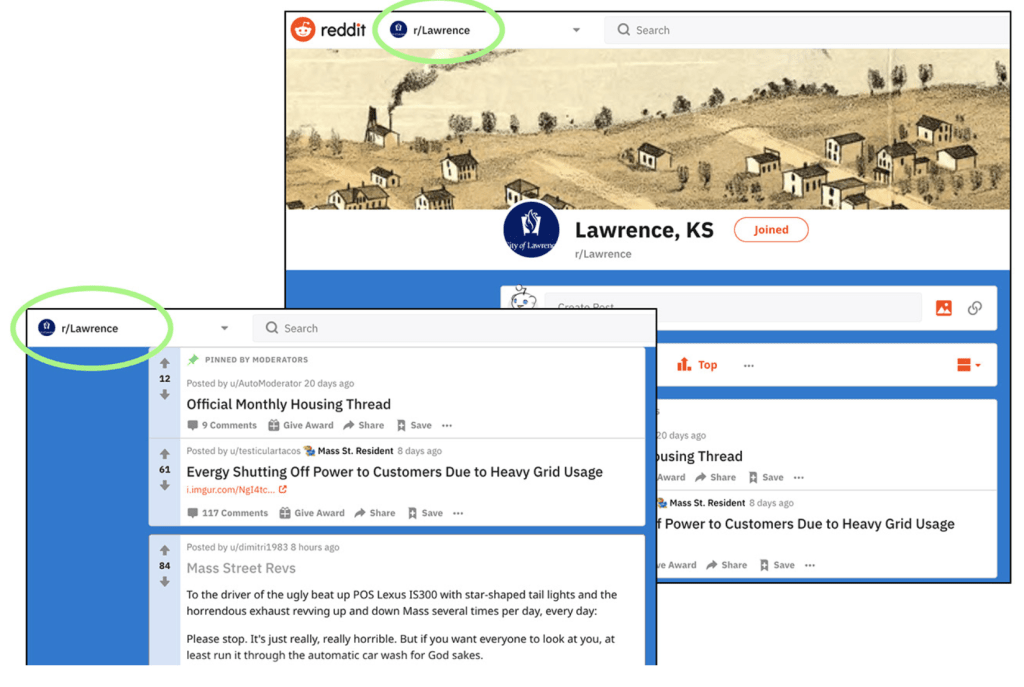
The title of the subreddit community remains at the top of the webpage as the user scrolls through content, reminding the user of what community they are currently scrolling through.
Flexibility & Efficiency of Use
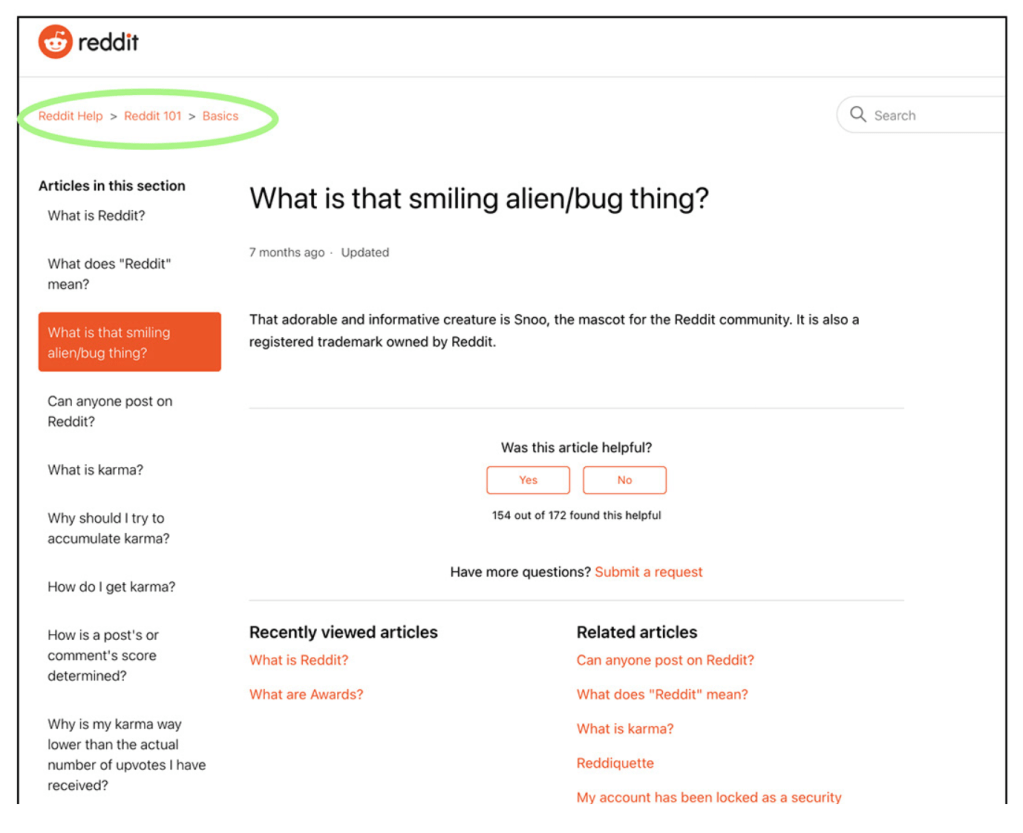
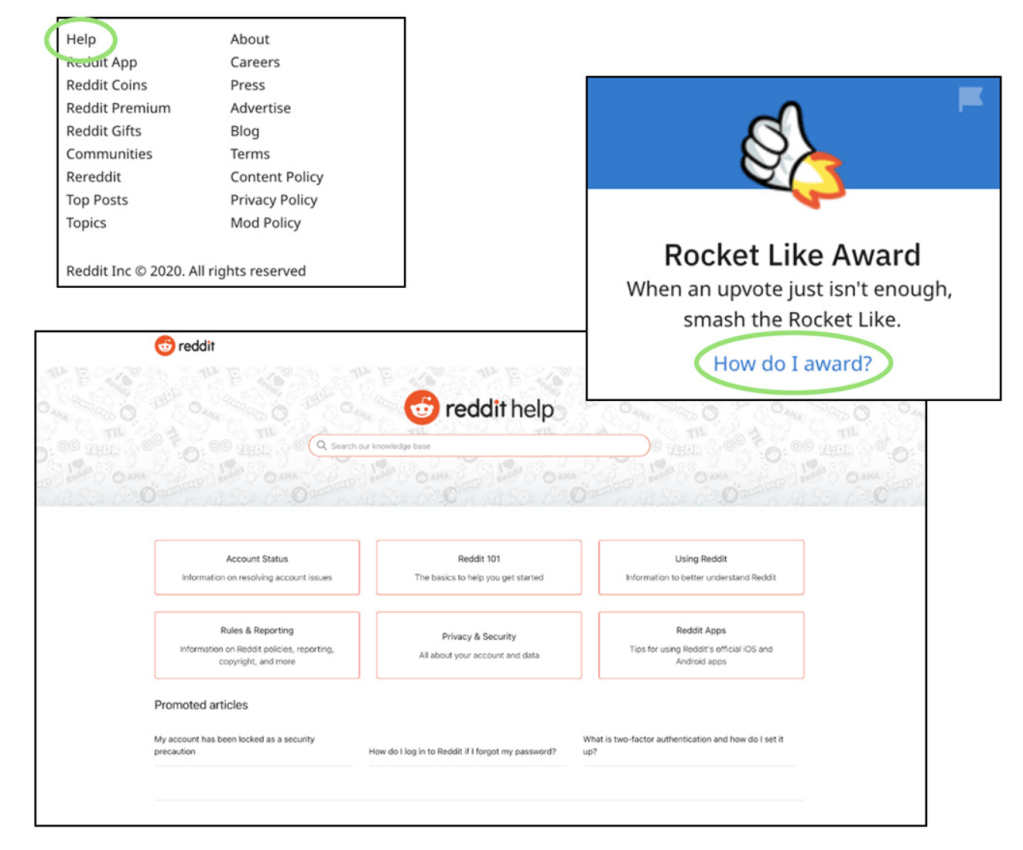
Although community based, Reddit is not meant to be exclusive. The website, and it’s Help site extension reddithelp.com assists the user is not only becoming familiar with the site but it’s extensive system.
With FAQs, The system is explained thoroughly and effectively, this allows users to move from also feel confident as they navigate the site.
Aesthetic & Minimalist Design
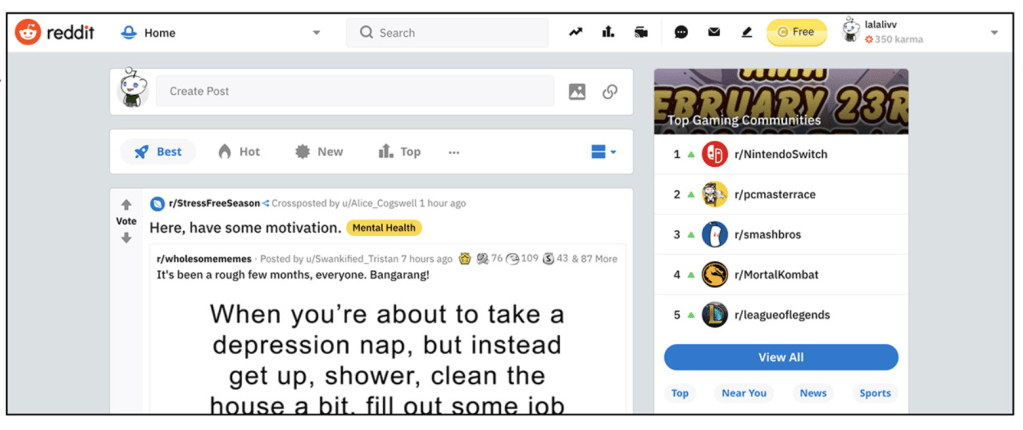
Reddit’s icon based design, utilizes symbols that are common icons throughout web designs: envelope, text bubble, and pencil in the header bar give the user constant access to essential functions of the site.
Reddit compartmentalizes content within the page to allow the user simplistic visualization of content.
This practice benefits the user to understand what content is correlated, without having to think about it.
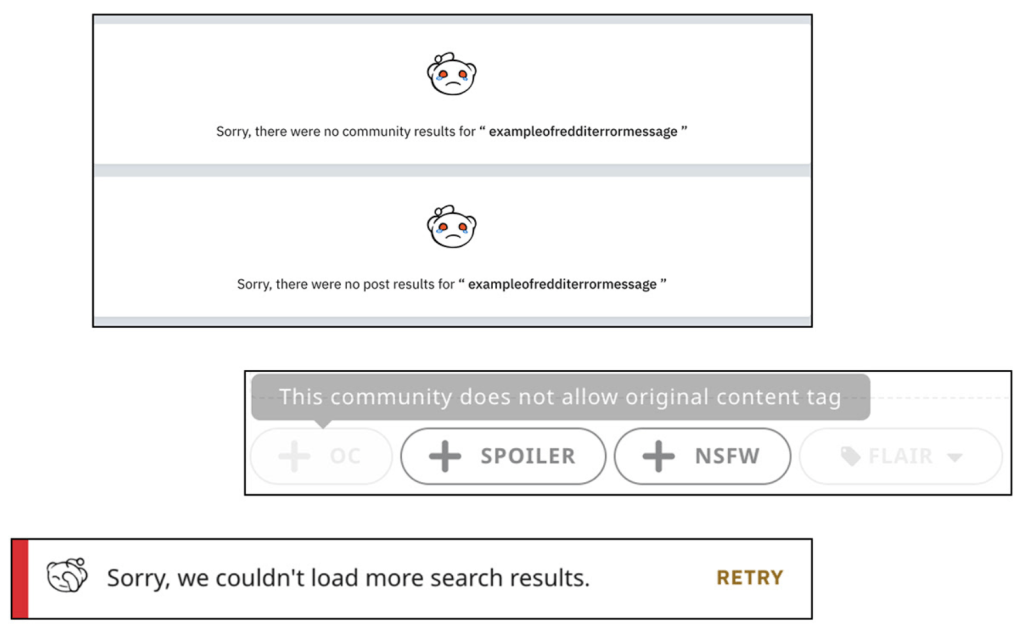
Help Users Recognize, Diagnose & Recover from Errors
To notify the user that an error has occurred Reddit utilizes color association, as well as the identifiably upset emotion from the character graphic, Snoo (the time-traveling alien mascot of Reddit)
Additionally, Reddit uses clear and understandable language to identify the problem to the user, to assist them in solving the problem independently.
Help & Documentation
Reddit maintains an incredibly inclusive community-based platform, and therefore has an extensive help function allowing users to get familiar with the functions that are different from other social media platforms.
Cognitive Walkthrough
Task: Returning User Log In
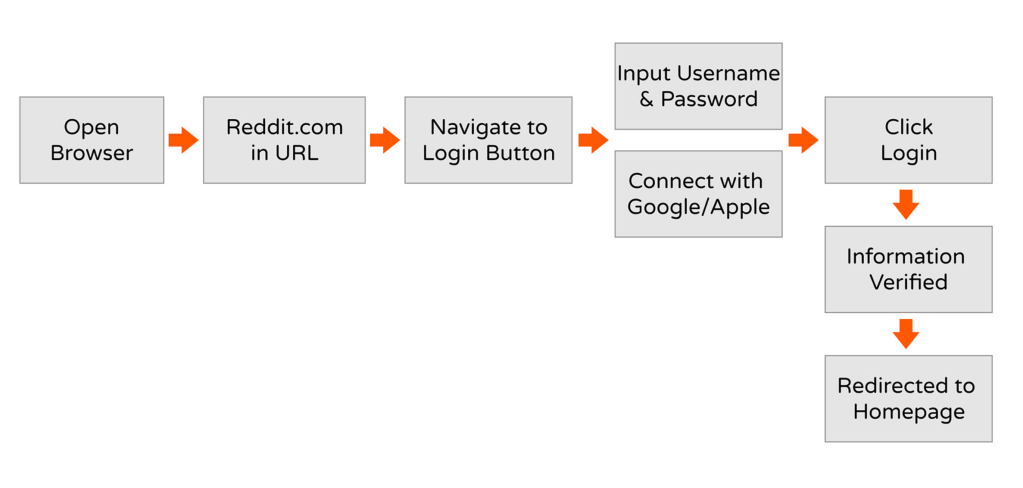
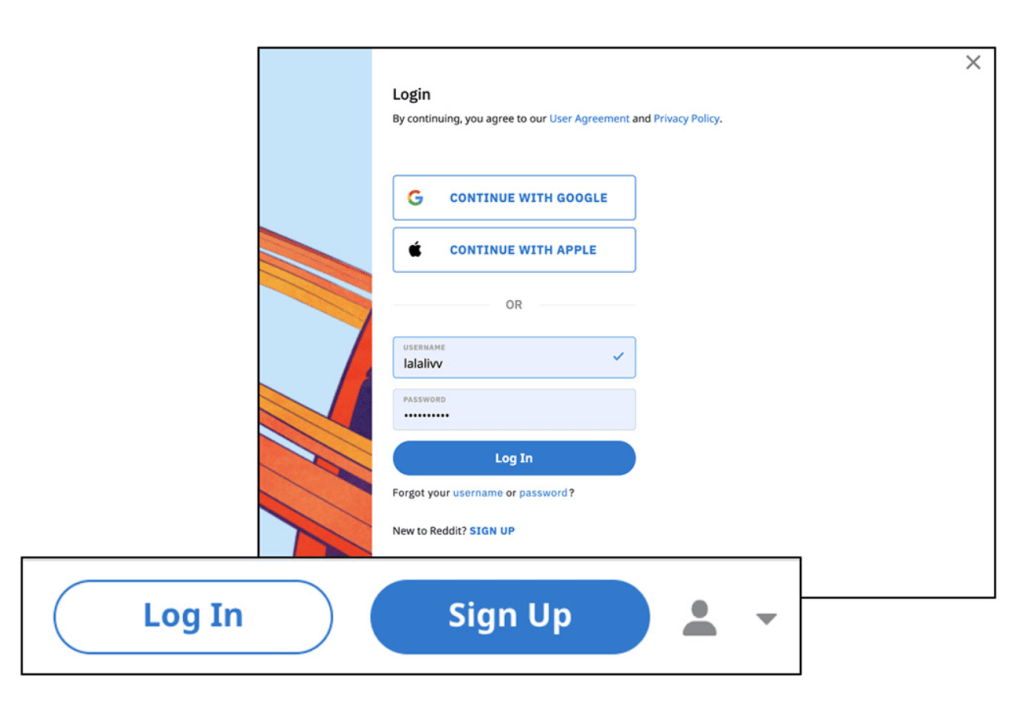
The Login button is accompanied with a sign up button, each colored opposite of the other, but both allow the user to assume they are active buttons.
The Login popup screen allows the user to connect through their existing Google or Apple accounts, or by recounting their username and password. This is accompanied by a “Forgot username or password?” text that informs the user that “username” and “password” are hyperlinked text.
Additional options to sign up if the user navigated incorrectly.
Once the user inputs their login credentials and click “login”, they are prompted with two rings spinning around a circle. This informs them that the system is assessing the inputted information.
After verifying their information, the system sends a microinteraction of a white checkmark and redirects the user to their self-curated news feed.
Additionally, the user is provided a banner at the bottom of the screen, informing the user that they are successfully logged in.
Task: Join a Subreddit
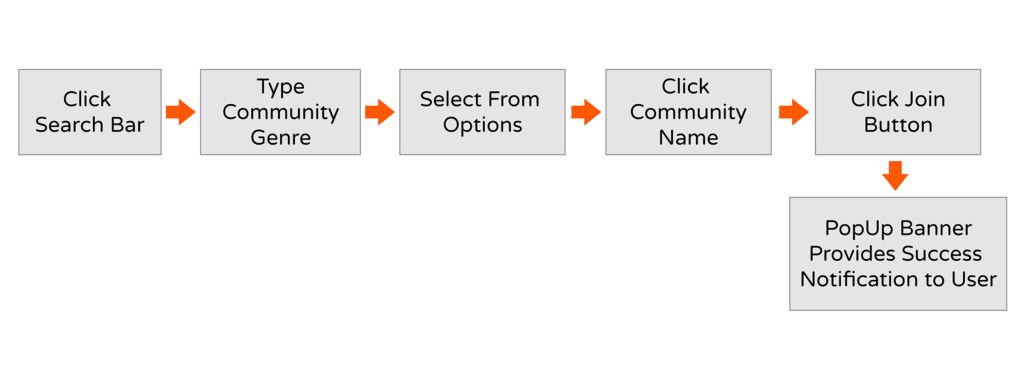
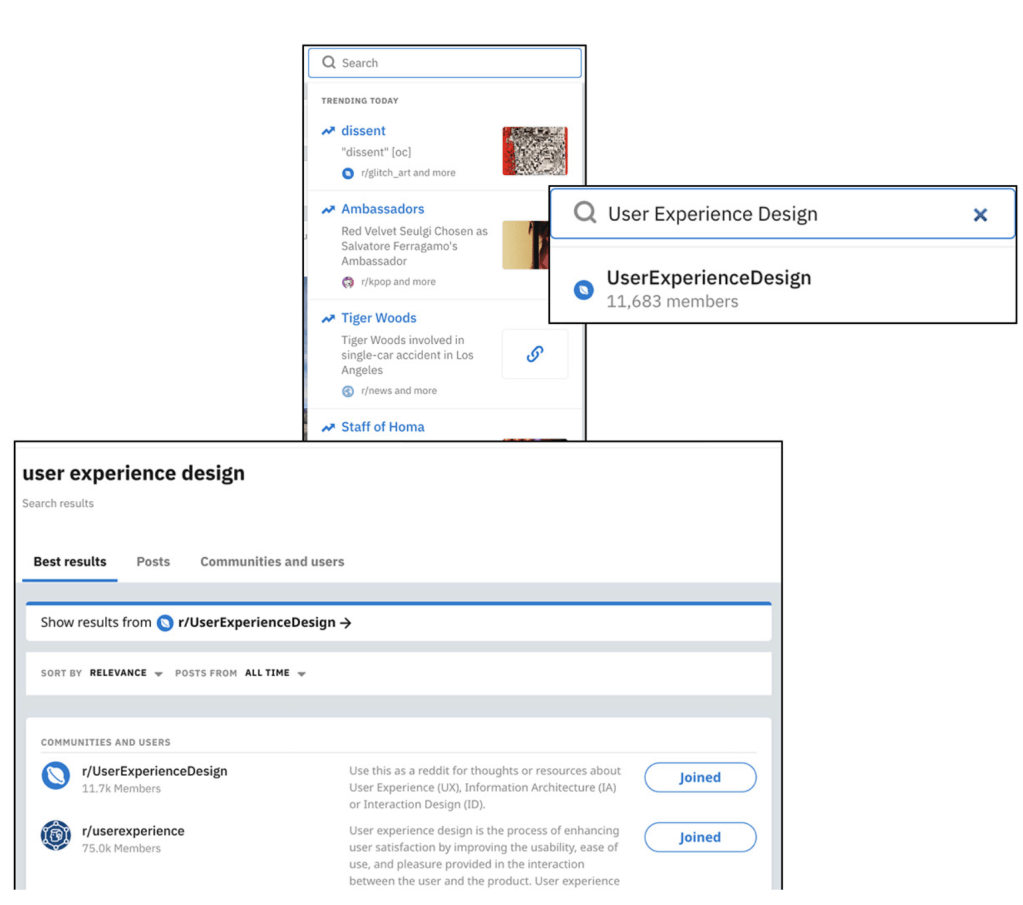
When the user clicks the search bar, a blinking cursor appears, and search gray text doesn’t disappear.
When the user types text into the search bar, groups matching the search appear and the user then selects the group of their choosing. A quick join button on the right allows the user to join a community without navigating to the page.
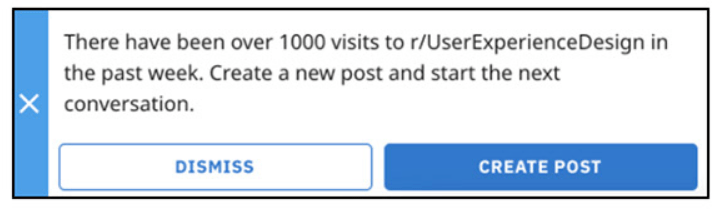
If the user clicks a community name, the user is prompted with a notice of how active the community, and offered the option to dismiss or create a post.
The “Join” button on the top is accompanied by a “start chatting” button.
Pop Up Informs user that they successfully joined the community.
Task: Create a Post
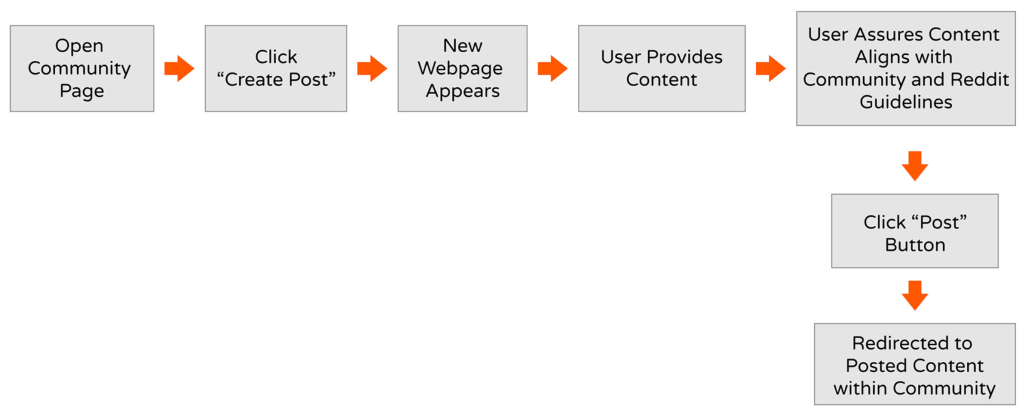
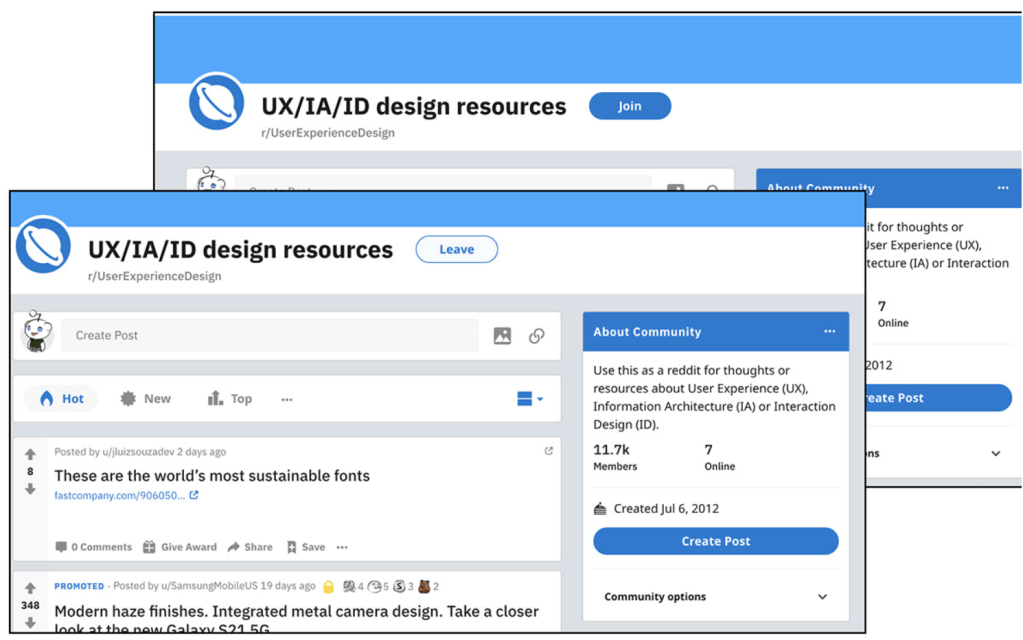
Inside a community page there are multiple options to create a post, top bar next to avatar below title header & under “about Community”. Clicking either button forwards you to the same screen.
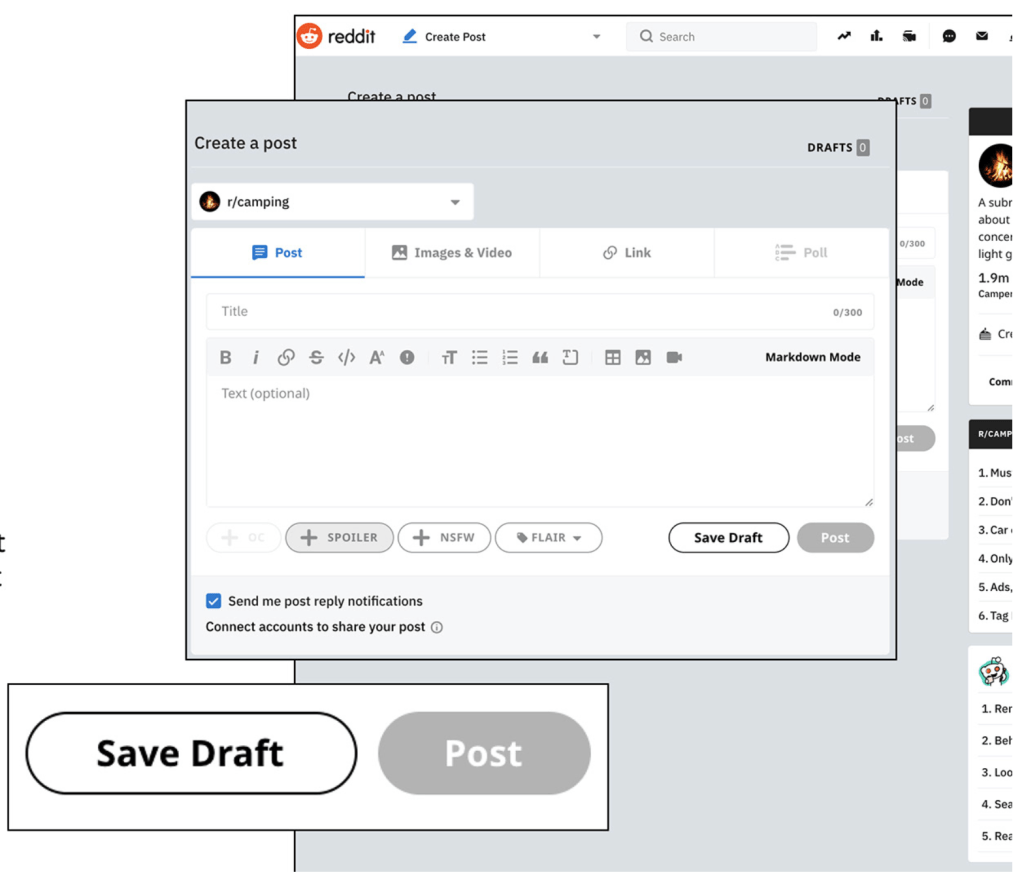
The user is prompted with general information about the community, rules of the community, and reminders from the makers of reddit of the posting expectations from users.
The “post” button goes from gray text to white text within the blue button at the bottom of the container once all post requirements are
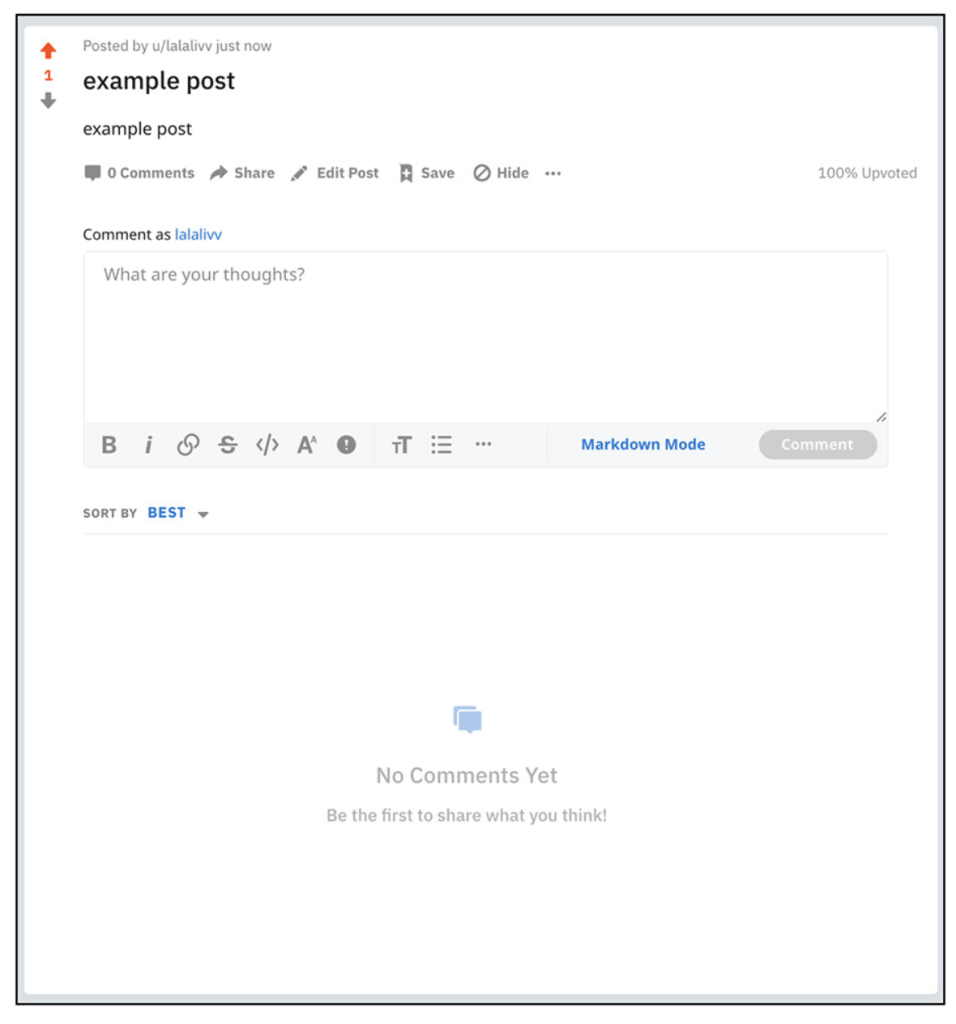
Once you click post, a quick loading screen appears and the user is redirected to the posting within the community and one upvote is automatically granted to post.
If the user ignores the sidebar of community regulations, and the post violates those restrictions, the post will be removed and invisible to the community, however it will remain visible to the original poster.
This could be problematic to the posting process, as the guidelines are listed within the middle of the right sidebar. An existed Reddit user realizes that almost every community has guidelines to content being posted, in order to keep communities relevant to their title and description (dog photos will be removed from a r/catsonly)




 Olivia Wimmergren